
Conference Livestreaming & Hybrid Events: A Guide for Australian Event Managers
Conference livestreaming is the professional live broadcast of your event's sessions to a remote audience via platforms like YouTube, Zoom or Microsoft Teams. Hybrid events combine this with in-person attendance to extend reach. In Australia, livestreaming typically adds $3,000–$8,000+GST to your event production, with setup covering multi-camera vision mixing, broadcast-grade audio and internet redundancy.
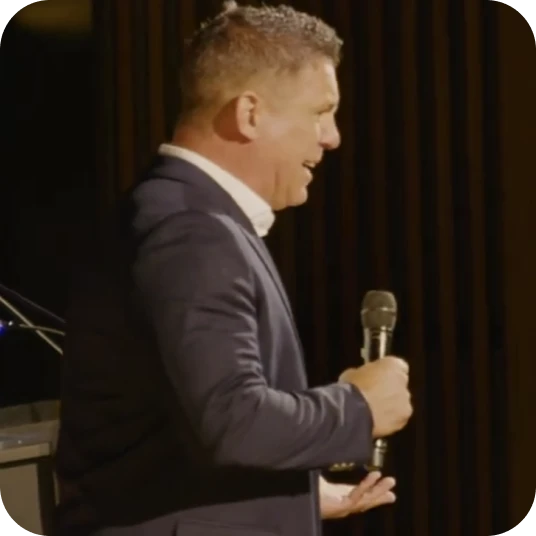
Conferences bring people into a room — but not everyone can be in that room. Speakers travel, budgets are tight, teams are spread across states, and some delegates simply can't justify the time away. Livestreaming solves that by putting the same content in front of every stakeholder, live, wherever they are. Pair it with a proper in-room experience and you have a hybrid event: the format that now dominates the industry.
This guide explains what conference livestreaming and hybrid production actually involve in Australia — the technology, the costs, the logistics and the decisions you need to make — so you can brief a production team (or your board) with confidence. It is written for conference managers, event directors, association teams and marketing managers: the people who carry the risk on event day.
What is conference livestreaming?
Conference livestreaming is the professional, real-time broadcast of your event's sessions to a remote audience via the internet. Unlike a simple Zoom call or a phone pointed at the stage, a professional livestream uses multi-camera vision mixing, broadcast-grade audio taken from the desk, synced slides and branded overlays — so the remote viewer gets a polished, watchable experience rather than a surveillance-quality feed.
In practice, a livestream production team sits alongside (or behind) your AV crew on event day. They take a clean audio feed, switch between camera angles and presentation slides in real time, and push the result to one or more platforms — YouTube, Zoom, Microsoft Teams, Vimeo or a custom event portal. The remote audience watches live, often with the ability to submit questions or participate in polls.
It is worth understanding what livestreaming is not: it is not the same as recording. Recording captures the event for later; livestreaming delivers it as it happens. Most professional setups do both simultaneously — the same cameras that feed the stream also record locally, so you get a live broadcast and a high-quality recording for on-demand viewing afterwards.
What is a hybrid event and how does it differ from virtual?
A hybrid event combines a live, in-person audience with a simultaneous remote audience watching via a livestream. A virtual event has no physical venue at all — everyone joins online. The distinction matters because the production requirements, the attendee experience and the budget are all different.
| In-person only | Hybrid | Virtual | |
|---|---|---|---|
| Physical venue | Yes | Yes | No |
| Remote audience | No | Yes (livestream) | Yes (platform) |
| AV + staging | Standard | Standard + streaming layer | Minimal (studio or home) |
| Typical cost uplift | Baseline | +20–40% over in-person | Lower venue cost, higher platform cost |
| Audience reach | Limited by seats | Extended nationally/globally | Unlimited |
Hybrid is now the dominant format globally. 74.5% of event planners are adopting hybrid formats and 83% of organisers report higher attendance compared to in-person-only events. The reason is straightforward: a hybrid approach keeps the energy and networking of a physical event while removing the geographic barrier for everyone else.
In Australia, hybrid makes particular sense. The country is large, flights between capital cities are expensive, and many associations have members spread from Cairns to Hobart. A national conference in Sydney or Melbourne that also streams to members in Perth, Brisbane and Adelaide can double its effective attendance without doubling its venue.
Why should you livestream your conference?
You should livestream your conference because it multiplies the return on an event you are already paying to run. The speakers, the staging, the AV and the content are all funded — livestreaming extends that investment to every stakeholder who cannot be in the room, live, for a fraction of the cost of flying them in.
The business case usually rests on five returns:
- Reach beyond the room. Remote delegates, interstate members, international speakers and sponsors who couldn't attend in person all get access to the same content, live.
- Accessibility and inclusion. Livestreaming with captions makes your event accessible to people with mobility limitations, hearing impairments or caring responsibilities that prevent travel — increasingly an expectation, not a bonus.
- Sponsor value. Branded overlays, sponsor slides and a larger verified audience give sponsors measurable reach beyond the room. That makes sponsorship packages easier to sell and easier to justify.
- On-demand content. The livestream recording becomes an on-demand library — gated for members, sold as a post-event package, or repurposed into social media content and highlight films.
- Future-proofing. The virtual events market reached $243 billion in 2025, growing at 17.8% annually. Remote attendance is no longer a pandemic workaround — it is a baseline expectation for professional conferences.
[DUANE: add a 1–2 sentence example of a real event where livestreaming extended reach — e.g. "When we streamed [Event Name] in [City], the in-room audience was X but the live remote audience added another Y viewers across the day."]
What equipment and crew does a professional livestream need?
A professional conference livestream needs more than a laptop and a webcam. The equipment list depends on the scale of your event, but a typical single-room setup includes:
- Cameras — at least one operated camera on the speaker, ideally two (a wide and a close-up) for visual variety. Larger events add a third for the audience or panel wide shot. These are broadcast or cinema cameras, not consumer camcorders.
- Vision mixer / switcher — the hardware (or software) that switches between camera angles and slides in real time, producing the "program feed" that goes to the stream.
- Audio — a clean audio split from the venue's mixing desk, plus a backup recorder. Audio is the single most important technical element in a livestream; poor sound will lose a remote viewer faster than anything else.
- Slide capture — a feed from the presenter's laptop, captured via HDMI and composited into the stream as a picture-in-picture or full-screen cut.
- Encoding and streaming hardware — a dedicated encoder (hardware or software) that compresses the program feed and pushes it to the streaming platform. Professional setups use hardware encoders for reliability.
- Internet connection — a dedicated, wired connection with sufficient upload bandwidth, plus a cellular bonded backup for redundancy (more on this below).
- Monitoring — screens showing the live output, chat/Q&A feeds and stream health metrics so the operator can react in real time.
- Crew — at minimum a stream operator/vision mixer and camera operators. Larger productions add a stream producer to manage the remote audience experience, monitor chat and coordinate Q&A.
The exact configuration scales with your event. A single-room, single-platform stream to 200 remote viewers is a different production from a three-room national conference streaming to 2,000 people across YouTube and a member portal simultaneously. The principles are the same; the crew and redundancy scale up.
How does internet connectivity work for a conference livestream?
Internet connectivity is the foundation — and the biggest risk — of any conference livestream. The stream is only as reliable as the upload connection that carries it. Understanding the requirements helps you plan around them.
Minimum upload speed: A single 1080p HD stream requires a sustained 5–10 Mbps upload. Multi-platform streaming (e.g. YouTube and Zoom simultaneously) or higher-quality feeds need 15–20 Mbps. The upload must be dedicated — not shared with the venue's guest Wi-Fi, delegate devices or the AV company's systems.
Wired over wireless, always. A hardwired Ethernet connection to the venue's network is the baseline. Wi-Fi is never reliable enough for a professional livestream — interference, congestion and dropouts are too common in a room full of devices.
Redundancy with bonded cellular. The gold standard for critical livestreams is a bonded cellular device (such as a LiveU or Teradek) that aggregates multiple 4G/5G SIM connections into a single, stable upload. If the venue's wired connection drops, the bonded unit takes over automatically — or runs as the primary connection in venues where wired internet is unavailable or unreliable.
| Connection type | Typical upload | Reliability | Best for |
|---|---|---|---|
| Venue wired (dedicated) | 10–100 Mbps | High (if dedicated) | Primary connection |
| Bonded cellular (4G/5G) | 10–30 Mbps | High (aggregated) | Backup or primary in difficult venues |
| Venue Wi-Fi | Variable | Low | Never for production |
| Single 4G dongle | 5–15 Mbps | Medium | Emergency backup only |
Venue due diligence matters. Not all Australian conference venues offer dedicated internet for production. Some include it in the AV package; others charge separately or don't offer it at all. This is one of the first questions to ask — and one of the reasons a site recce before event day is essential.
[DUANE: add a 1–2 sentence real example — e.g. a venue where the internet was the constraint and what you did about it, or a time bonded cellular saved the stream.]
What platforms can you stream a conference to?
The platform depends on your audience, your budget and how much control you want over the viewing experience. Here are the most common options for Australian conferences:
Open platforms
- YouTube Live — free, unlimited viewers, excellent quality, easy to share. Best for public-facing events, keynotes you want indexed and discoverable, and organisations building a content library. The recording stays on your channel for on-demand viewing.
- Facebook Live — similar to YouTube but oriented toward community pages and groups. Useful if your audience already engages on Facebook.
Enterprise and meeting platforms
- Zoom Webinar — familiar to most corporate audiences, supports Q&A and polling natively, and integrates with registration systems. Best for member-only or ticketed events where interaction matters.
- Microsoft Teams Live Events / Town Halls — the default for organisations already on Microsoft 365. Ideal for internal conferences, staff town halls and events where IT controls the tooling.
Dedicated event platforms
- Vimeo OTT / Livestream — more control over branding, access and analytics. Suits associations that want a branded, gated viewing experience.
- Custom event portals — platforms like Swoogo, EventsAir or Cvent that embed the stream within a full virtual event experience including networking, sponsor booths and session selection.
Multi-platform streaming — pushing the same stream to YouTube and Zoom and a custom portal simultaneously — is increasingly common and technically straightforward. It requires a multi-output encoder or a restreaming service but doesn't need additional cameras or crew.
The platform market is consolidating: Cvent acquired ON24 for US$400 million in April 2026, following its purchase of Goldcast in late 2025. If you are currently using ON24 or Goldcast, it is worth reviewing your options before your next renewal.
How much does conference livestreaming cost in Australia?
Conference livestreaming in Australia typically costs $3,000–$8,000+GST per day, depending on the number of cameras, the platform requirements and whether you need internet redundancy. Here is a rough guide:
| Setup | Typical day rate (ex GST) |
|---|---|
| Single-camera, single-platform stream | $3,000–$4,500 |
| Two-camera stream with slide capture | $4,500–$6,500 |
| Multi-camera, multi-platform with bonded internet | $6,500–$8,000+ |
| Full hybrid production (streaming + recording + highlights) | $8,000–$12,000+ |
These figures cover crew, equipment, encoding and streaming. They do not include the venue's internet charges (if applicable), platform licence fees (e.g. Zoom Webinar) or post-event editing of the recordings.
The cost uplift over recording-only is modest. If you are already filming your conference with a multi-camera setup, adding a livestream layer typically adds $1,500–$3,000+GST to the day rate — because the cameras, audio and crew are already there. The incremental cost covers the encoder, stream operator and internet redundancy.
For a detailed breakdown of conference filming costs without the streaming component, see our conference filming cost guide. For a combined quote covering filming, livestreaming and highlights, see our pricing.
[DUANE: if you have a real ballpark example — e.g. "A two-day national conference we streamed from [Venue] came in at $X+GST for filming and streaming combined" — add it here.]
What is the difference between single-camera and multi-camera livestreaming?
The difference is visual quality, viewer engagement and cost. A single-camera stream locks on one wide shot of the speaker and stage — functional, but visually static. A multi-camera stream switches between angles (close-up, wide, audience, slides) in real time, producing a broadcast-quality viewing experience that holds remote attention.
| Single-camera | Multi-camera | |
|---|---|---|
| Cameras | 1 (wide, often locked off) | 2–4 (operated or PTZ) |
| Vision mixing | None (static shot) | Live switching between angles |
| Slide integration | Separate window or not shown | Picture-in-picture or full-screen cut |
| Viewer experience | Functional | Broadcast-quality |
| Crew | 1 operator | 2–4 (operators + vision mixer) |
| Typical cost | $3,000–$4,500/day | $4,500–$8,000+/day |
For most professional conferences, two cameras plus slide capture is the sweet spot: the vision mixer can cut between a speaker close-up, a wide shot and the slides, which keeps the stream visually engaging without the cost of a full broadcast crew.
Single-camera streams still have their place — internal meetings, simple panel recordings, or events where the budget genuinely doesn't stretch — but if you are streaming to an external audience that you want to impress, multi-camera is worth the uplift.
What happens if the internet drops during a livestream?
This is the number-one fear for event managers — and rightfully so. A dropped stream in front of a live remote audience is visible and embarrassing. The answer is redundancy: you plan for the connection to fail, so the stream keeps running when it does.
Professional livestream crews in Australia use a layered approach:
- Primary connection — a dedicated, wired Ethernet line from the venue, separate from the guest network.
- Secondary connection — a bonded cellular device (LiveU, Teradek Bond or similar) aggregating multiple 4G/5G SIMs across different carriers. If the primary drops, the encoder fails over to cellular automatically — often within seconds, with no visible interruption to the viewer.
- Local recording as a safety net — regardless of what happens to the stream, every camera records locally. If a catastrophic failure takes out both connections (extremely rare), the full session is still captured and can be uploaded immediately after.
The key is that redundancy is planned before the event, not improvised on the day. It is part of the production specification and should be discussed in your pre-event briefing and site recce. Venues like ICC Sydney and MCEC in Melbourne have strong in-house connectivity; regional or heritage venues may need a fully cellular-based solution.
How do you keep remote attendees engaged during a hybrid event?
Remote engagement is the hardest part of hybrid — and the part most often underestimated. A remote viewer watching a static wide shot with no interaction will drop off quickly. Average viewing time for a virtual session is 47 minutes, but attention drops significantly after 12 minutes. You need to design the remote experience deliberately.
Production quality comes first. Multi-camera switching, clean audio, readable slides and a professional visual presentation are the baseline. If the stream looks and sounds like a surveillance camera, no amount of polling will save it.
Beyond production, the most effective engagement tools are:
- Live Q&A and moderated chat. Let remote attendees submit questions that a moderator surfaces to the speaker. This gives the remote audience a voice in the room.
- Live polling. 81.8% of virtual event organisers use live polling to keep participants involved — it works because it gives everyone a reason to stay active rather than passively watching.
- Dedicated remote host. A second presenter or MC who acknowledges the online audience, reads out their questions and bridges the gap between the room and the screen.
- Breakout networking. For larger hybrid events, virtual breakout rooms or networking tools let remote attendees connect with each other — mirroring the hallway conversations happening in-person.
- On-demand access. Offering recordings within hours of the live session (not weeks later) keeps remote attendees engaged with the event after the live window closes.
The principle is that the remote audience is a real audience, not an afterthought. If you design the experience for them — not just point a camera at what the room sees — hybrid works.
How do you plan a hybrid event from start to finish?
Planning a hybrid event follows the same timeline as a standard conference, with an additional production layer for the remote experience. Here is a simplified planning sequence:
8–12 weeks before
- Define the remote audience. Who are they, how many, and what do they need? This shapes everything from platform choice to crew size.
- Choose a streaming platform. Match it to your audience (see platform comparison above) and confirm licence costs.
- Book the livestream production team. Book early — experienced crews are limited in peak conference season (August–November in Australia).
- Confirm venue internet. Request a dedicated wired connection with guaranteed upload bandwidth. If it is not available or not sufficient, plan for bonded cellular as the primary.
4–6 weeks before
- Site recce. Walk the venue with your production team to confirm camera positions, cable runs, power, internet access points and the audio split from the desk.
- Finalise the run sheet. Map which sessions are streamed, which are recorded only, and where the remote audience interacts (Q&A, polling, networking).
- Test the platform. Run a full technical rehearsal — stream to the platform, test the Q&A workflow, confirm the embed on your event portal works.
Event day
- Production crew arrives early (typically 2–3 hours before the first session) to rig cameras, test audio, confirm the internet connection and run a final stream test.
- Stream goes live before the first session, with a holding slide or countdown.
- Live monitoring throughout — the stream operator watches audio levels, stream health, chat and viewer count in real time.
- Recordings captured locally in parallel, so post-event content is not dependent on the stream.
Post-event
- Recordings delivered for on-demand viewing, typically within 24 hours for raw sessions.
- Highlights and social content cut from the same footage — see our highlight films and social media content services.
- Analytics reviewed — viewer count, peak concurrency, average watch time, Q&A engagement and drop-off points. These feed into planning for next time.
What should you look for in a conference livestreaming provider?
Choosing the right livestreaming provider is a production decision, not just a procurement one. The wrong crew on the day means a poor remote experience that you cannot fix afterwards. Here is what to look for:
- Conference-specific experience. A team that regularly streams conferences understands the pace, the risks and the AV environment. A crew that mostly does weddings or corporate videos may not.
- Redundancy as standard. Ask whether bonded cellular backup is included or optional. If a provider does not mention redundancy, they may not plan for failure.
- Platform flexibility. Can they stream to your chosen platform — or multiple platforms simultaneously? Do they handle the encoder configuration, or does that fall to you?
- Audio expertise. The audio split from the venue desk is the most technically sensitive part of the production. Ask how they handle it and what backup they carry.
- Crew, not just kit. A vision mixer and a stream operator should be dedicated roles, not an afterthought handled by a camera operator between shots.
- Post-event deliverables. Does the provider also record, edit and deliver on-demand videos, or will you need a separate team for that? A single team that handles filming, livestreaming and post-production is simpler and usually more cost-effective.
Ask for references from events of a similar size and format to yours, and ask specifically about how they handled a technical issue on the day. Every experienced crew has stories — it is how they responded that matters.
How does livestreaming fit with conference filming and content repurposing?
Livestreaming and conference filming are complementary, not competing. In most professional setups, the same cameras feed both the live broadcast and the local recordings. This means you get:
- A live broadcast for the remote audience on the day.
- Full session recordings for on-demand viewing afterwards.
- Raw footage for highlight films, speaker interviews and social media content.
The most cost-effective approach is to book filming and streaming together, because the incremental cost of adding a stream to an existing multi-camera filming setup is modest (typically $1,500–$3,000+GST per day). Booking them separately — with different crews — usually costs more and creates coordination headaches on the day.
This is the heart of getting a return on your event investment: one day of production becomes a live broadcast, a library of session recordings, a highlight reel, a set of social clips and months of content. For a deeper look at this strategy, see our complete guide to conference filming in Australia.
Livestreaming and hybrid events across Australia
We provide conference livestreaming and hybrid event production across all major Australian cities and venues:
- Sydney — ICC Sydney, Hilton Sydney, International Convention Centre and corporate venues across the CBD.
- Melbourne — Melbourne Convention and Exhibition Centre (MCEC), Crown Conference Centre, Melbourne Park and CBD hotels.
- Brisbane — Brisbane Convention & Exhibition Centre (BCEC), Royal International Convention Centre and Southbank venues.
- Perth — Perth Convention and Exhibition Centre (PCEC) and CBD conference facilities.
- Adelaide — Adelaide Convention Centre, Adelaide Oval and city hotels.
- Canberra — National Convention Centre Canberra, Parliament House and Realm precinct venues.
Internet connectivity and AV infrastructure vary significantly between venues. Some offer dedicated fibre with guaranteed upload speeds; others rely on shared building connections that cannot support a professional stream without supplementary bonded cellular. This is venue-specific and should be confirmed during the site recce — not assumed.
[DUANE: if there's a standout venue you've streamed from — e.g. "ICC Sydney's dedicated production internet makes it one of the most reliable venues to stream from in the country" — add a sentence here.]
How we approach conference livestreaming
We treat livestreaming as part of the filming production, not a separate service bolted on. The cameras that record the event also feed the stream; the audio split serves both; the crew plans for both deliverables from the outset. That means one crew, one setup, one set of decisions — and a remote experience that matches the quality of the recordings.
Every stream includes local recording as a parallel safety net, bonded cellular backup as standard, and a dedicated stream operator monitoring the broadcast in real time. The result is a live broadcast that remote viewers can rely on — and a set of recordings that are ready for post-production the moment the event wraps.
Frequently asked questions
What is conference livestreaming?
Conference livestreaming is the professional, real-time broadcast of your event's sessions — keynotes, panels and plenaries — to a remote audience via the internet. It uses multi-camera vision mixing, broadcast-grade audio and a reliable internet connection to deliver a polished live viewing experience.
How much does it cost to livestream a conference in Australia?
Typically $3,000–$8,000+GST per day depending on camera count, platform requirements and whether you need internet redundancy. A single-camera stream to one platform starts around $3,000+GST; multi-camera, multi-platform productions with bonded internet run higher.
What internet speed do you need for a conference livestream?
A minimum of 5–10 Mbps dedicated upload for a single HD stream. Professional productions use 15–20 Mbps or more, plus a bonded cellular backup, so the stream keeps running even if the venue's primary connection drops.
What is the difference between a hybrid event and a virtual event?
A hybrid event has both an in-person audience and a live remote audience watching simultaneously. A virtual event has no physical venue — all attendees join online. Hybrid is now the dominant format, with 74.5% of event planners adopting it.
Tagged: Livestreaming & Hybrid Events, Pillar Guide