
How Many Cameras a Conference Needs
Most conferences need two cameras. A single camera covers one speaker on a narrow stage; a second adds cutaways, audience reaction and a safety angle that makes the edit usable. Three or more is justified for wide stages, large plenaries such as the MCEC Plenary's 5,500 seats, and switched livestreams.
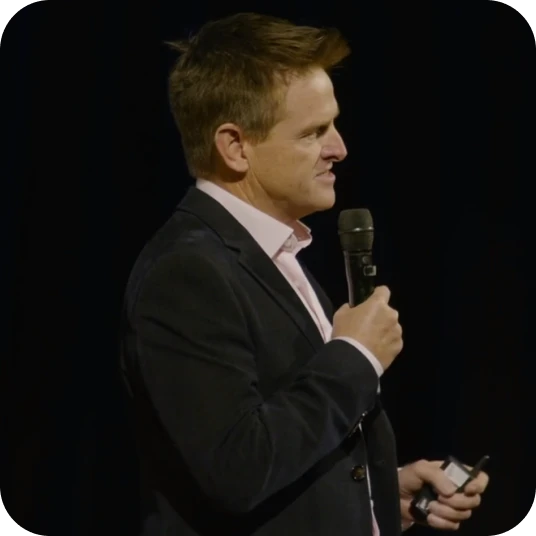
Single-camera coverage and its limits
A single camera does one job well at a conference: holding a clean frame on whoever is speaking. From the back of the room on a long lens — a broadcast PTZ such as the Panasonic AW-UE150 carries 20x optical zoom across an 8.8–176mm focal range with a 75.1° wide angle — one operator can follow a presenter, reframe on a slide change and hold through a long keynote.
What one camera cannot do is be in two places at once. When a speaker walks downstage, a panel spreads across the stage, or the room reacts to a line, a solo operator has to choose. Guidance from BCS on recording an event treats one camera as enough for the speakers themselves, and adds further cameras specifically to cover the audience and live demonstrations.
One camera therefore suits a narrow brief: a fixed lectern, one presenter at a time, and a deliverable that is an archive recording rather than a cut reel. Conference filming on a single angle is honest value, provided nobody expects a polished edit from it.
The case for a second camera
A second camera changes what an editor can do, not just how much footage exists. With two angles rolling, every cut has somewhere to go: a wide that establishes the room, a tight that carries the speaker's face, and the freedom to move between them to remove a stumble, a long pause or a technical hiccup without a visible jump in the frame.
Cutaways are the other half of the value. An audience camera picks up laughter, note-taking, questions and applause — the material that makes a highlight film feel like an event rather than a lecture. The second angle is also a safety net. If the primary camera is blocked by a latecomer or drifts out of focus mid-sentence, the session is still usable.
Two cameras is the point at which conference footage becomes genuinely editable, which is why it is the common default. Panels, fireside chats, award presentations and anything destined for social cutdowns effectively require it, and a second angle costs far less than trying to recover a keynote that only happens once.
When three or more cameras are justified
Three cameras earn their place when the stage is wider than one operator can track, or the room is too large for two angles to feel close to the action. Big plenaries are the clearest case: the Plenary at Melbourne Convention and Exhibition Centre seats up to 5,500 guests and divides into three, while the Darling Harbour Theatre at ICC Sydney is a 2,500-seat tiered room.
In a space that size a single tight camera cannot follow a presenter using the full stage width. The usual build becomes a locked wide holding the whole set, a tracking long lens on the speaker, and a third camera on the opposite side for the cross-shot and audience reaction.
Programme format pushes the count up as well. Awards nights with recipients walking on and off, product launches with a demonstration table, performance or music segments, and panels of five or more all benefit from a dedicated third angle, because the action is no longer confined to a lectern. A switched livestream also needs that variety to hold a remote audience.
Comparing one, two and three-plus camera setups
Camera count maps fairly predictably onto room size, programme type and what you expect to receive afterwards. The bands in the table below are planning rules of thumb rather than fixed thresholds, but they are a reasonable starting point for a brief.
| Setup | Room size and stage | Programme type | Typical deliverables |
|---|---|---|---|
| 1 camera | Small room, fixed lectern, narrow stage | Single presenter, training, webinars | Archive recordings, a session library |
| 2 cameras | Mid-size ballroom or breakout theatre | Keynotes, panels, fireside chats, AGMs | Edited sessions, highlight film, social cutdowns |
| 3+ cameras | Tiered plenary, wide or thrust stage | Major plenaries, awards, launches, performance | Switched livestream, multi-angle keynote films |
Room size is a proxy for distance, not just headcount. A flat-floor ballroom with a wide stage can need more coverage than a tiered theatre of the same capacity where every seat has a clean sightline, so confirm stage width and the available camera positions with the venue before fixing a number.
Deliverables matter as much as the room. An archive recording tolerates a single locked angle, a highlight film needs cutaways, and a switched stream needs enough sources that the vision mixer is never stuck on one shot. Decide the output first and the camera count usually resolves itself; our pricing page sets out what each configuration includes.
Camera count and crew cost
Crew is the real driver of cost, not the cameras themselves. Each additional manned camera adds an operator across the full bump-in, shoot and bump-out, plus travel and extra kit. BCS guidance on recording an event suggests a minimum of four people for a recording with an audience, including someone running the broadcast — a reminder that headcount scales past the camera positions alone.
Locked-off and remotely operated cameras change that arithmetic. A PTZ on a tripod or truss can be controlled alongside another camera, so a three-source shoot does not always mean three operators standing behind three bodies. The trade-off is responsiveness: a remote head will not anticipate a speaker stepping sideways the way a person on the camera does.
Editing time scales with angles too. More sources means more syncing, more multicam grading and more decisions per minute of finished video, which shows up in both turnaround and in the quote. For how these factors come together on a real brief, see our guide to conference filming costs in Australia.
Concurrent breakout rooms and crew per room
Breakout rooms are the single biggest driver of crew numbers on a multi-stream conference, because filming is priced and staffed per room, not per event. Two sessions running at the same hour need two crews. There is no way to share one operator across concurrent rooms, and no way to recover a breakout nobody covered.
Australian convention centres are built for exactly this kind of parallel programming. ICC Sydney lists 70 meeting rooms and can run three fully separate, self-sufficient conventions at once, while BCEC in Brisbane has 44 multi-functional meeting and event spaces. A programme with three or four concurrent streams is entirely normal.
Demand for that format is not slowing. The Australian Business Events Association's Domestic Forward Calendar 2026 has 806 domestic events secured from July 2026 onward, projecting about 451,551 delegates across more than 3,000 event days. For organisers, the practical question is which breakouts genuinely need filming, since a chosen subset is usually enough.
Livestreaming and camera count
Livestreaming sets both a floor and a ceiling on camera count. A stream carrying only one angle becomes visually static within minutes, so two sources is a sensible minimum for anything longer than a short address. The upper limit is set by the switcher and by the crew available to operate it.
Switcher inputs are the hard constraint. Blackmagic's ATEM Mini Pro takes 4 HDMI inputs, while the ATEM Mini Extreme takes 8 and offers a multiview of up to 16 views. On a conference stream one of those inputs is almost always the presenter's slide feed rather than a camera, so count the slides before you count the cameras.
Bandwidth does not rise with camera count, because only the switched program feed leaves the venue. YouTube's live encoder guidance recommends 17 Mbps for 1080p at 60fps in H.264, with a 6 Mbps minimum and a two-second keyframe interval. Our livestreaming service and the hybrid events guide cover the rest of the setup.
Matching camera count to what the footage is for
Deliverables should drive the decision, because camera count is the one choice you cannot revisit after the event. An archive recording of every session can live on one angle. A highlight film needs a second camera for reaction and movement. A broadcast-style keynote film or a properly switched livestream needs three or more sources to look like what the audience remembers.
Working backwards is the reliable method. List what you want twelve months from now — session videos for members, a sizzle reel for next year's campaign, speaker interviews for the content calendar, short vertical cuts for social — then establish the minimum number of angles that produces all of it from a single shoot.
Budget the camera count against the value of the footage rather than the length of the day. Material captured once at a conference has to serve marketing, membership and sponsor obligations for a year, which is the argument our event video ROI guide makes in detail. If you are unsure which configuration fits your programme, get in touch with the run sheet and the venue.
Frequently asked questions
How many cameras do you need to film a conference?
Two cameras suit most conferences. One camera holds the speaker; the second provides cutaways, audience reaction and a safety angle so the editor can cut cleanly. A single camera is enough for archive recordings of one presenter at a time, while three or more suits large plenaries and switched livestreams.
Is one camera enough for a conference?
One camera is enough when the brief is an archive recording of a single presenter at a fixed lectern. A solo operator cannot cover the speaker and the audience at the same moment, so one-camera footage rarely cuts into a polished highlight film without noticeable jumps.
When do you need three or more cameras?
Three or more cameras are justified by wide stages, tiered plenaries, awards nights, product demonstrations and switched livestreams. A room on the scale of the MCEC Plenary, which seats up to 5,500 guests, needs a locked wide, a tracking long lens and a cross-shot before the footage feels close to the action.
Do concurrent breakout rooms need separate crews?
Yes. Filming is per room, not per event, so two sessions running at the same time need two camera crews. Convention centres such as ICC Sydney list 70 meeting rooms, so multi-stream programmes are common. Most organisers film a chosen subset of breakouts rather than every room.
Does livestreaming require more cameras?
Livestreaming generally needs at least two cameras, because a single static angle loses remote viewers quickly. The practical ceiling is the switcher: compact production units take four or eight inputs, and the presenter's slide feed usually occupies one of them, so count the slides before counting cameras.
Tagged: Conference Filming, Event Planning